Project: Chore Button
Table of Contents
At my local hackerspace, there’s a kiosk with a touchscreen that is as a piece of art. The idea is that you trade a fraction of your “intangible essence” for convenience: find a parking space faster, shorter lines at the grocery store, your phone lasts 15% longer before needing a charge. It’s silly, but the kids loved to print out receipts.
I’ve been trying to motivate my kids to do more chores and this kiosk gave me an idea. What if I made a button that would print out a list of their chores for the day. It would give them something tactile and most importantly it wouldn’t be a screen they would have to check but then get distracted with.
The Button #
I grabbed an old Raspberry Pi 3B+ and imaged it with the latest operating system.
I started by writing Python that would register the button push and made sure that worked.
I’ve disabled the serial port on the GPIO pins using raspi-config. If I make
another one I’ll probably just use pin 11 (GPIO 17) since it is a regular GPIO
pin.
GPIO.setwarnings(False)
GPIO.setmode(GPIO.BOARD)
GPIO.setup(8, GPIO.IN, pull_up_down=GPIO.PUD_DOWN)

last_state = False
last_press_time = 0.0

while True:
    inp = GPIO.input(8)
    if inp:
        print("Button pressed")
Success! I was seeing Button pressed
The Printer #
I bought a printer with USB. It’s a vretti V330M which is pretty pricey at ~$75 but it was like the one at the hackerspace.
Printing receipts is pretty trivial with the escpos Python library.
Here’s a sample hello world with the receipt printer.
PRINTER_VENDOR_ID = 0x1FC9
PRINTER_PRODUCT_ID = 0x2016
printer = Usb(PRINTER_VENDOR_ID, PRINTER_PRODUCT_ID)
try:
    printer.set(align="center", bold=False, width=1, height=1)
    printer.text("Hello World!\n")

    printer.text("\n\n\n\n")
    printer.cut()
finally:
    printer.close()
The Web Interface #
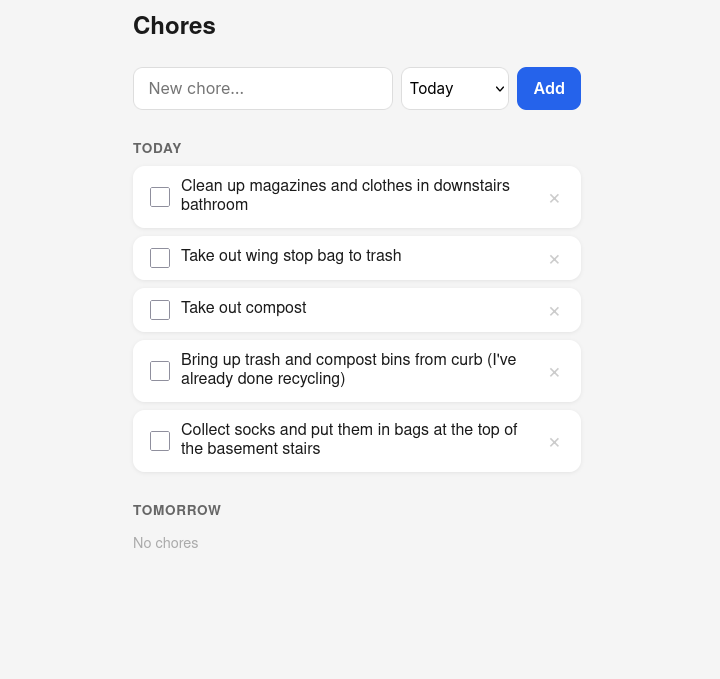
I needed to create a web interface that my wife and I could use. I didn’t really want to spend too much time on this so I leveraged a coding agent. The backend utilizes a sqlite database on the Pi itself.
This ended up being a pretty simple Flask app with a couple endpoints to add and delete chores.
The Box #
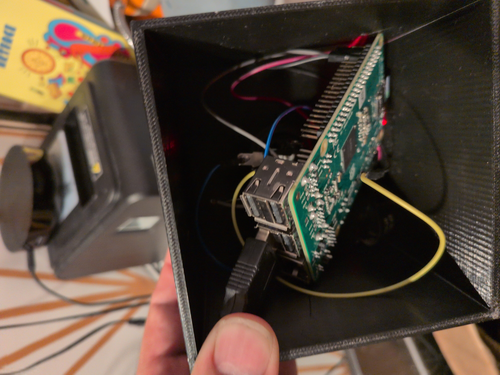
I 3D printed a box to hold the button and house the Raspberry Pi. I made the box too small so I doesn’t house the Raspberry Pi well. I would make it bigger in another iteration.
Final Product #
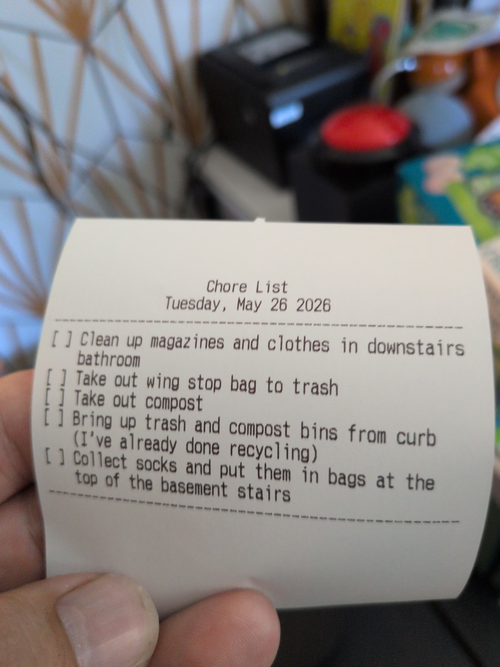
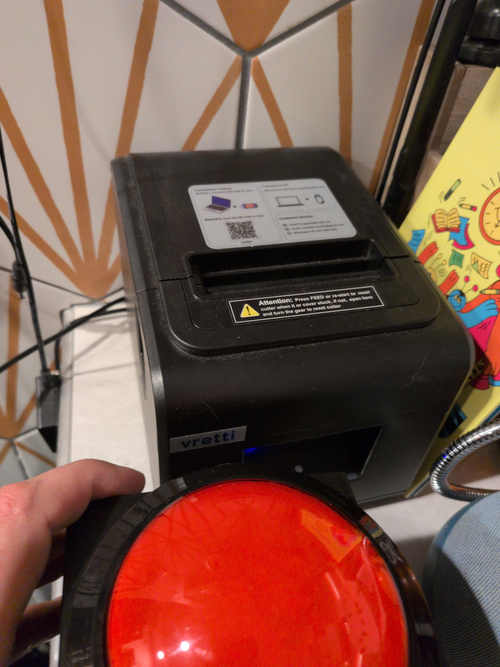
The final product is a simple red button on top of a black box. When the big red button is pressed, it prints out a check list of chores for my kids.
The code used to make the button work can be viewed on GitHub: jessedearing/chore-button